Section "Consumers"
Managing consumer data in the IoT platform — creating, filtering and editing consumer records.
The “Consumers” section is designed to manage consumer data. The main functions of the section include:
- Creating new consumers;
- Editing existing records.
Section Interface
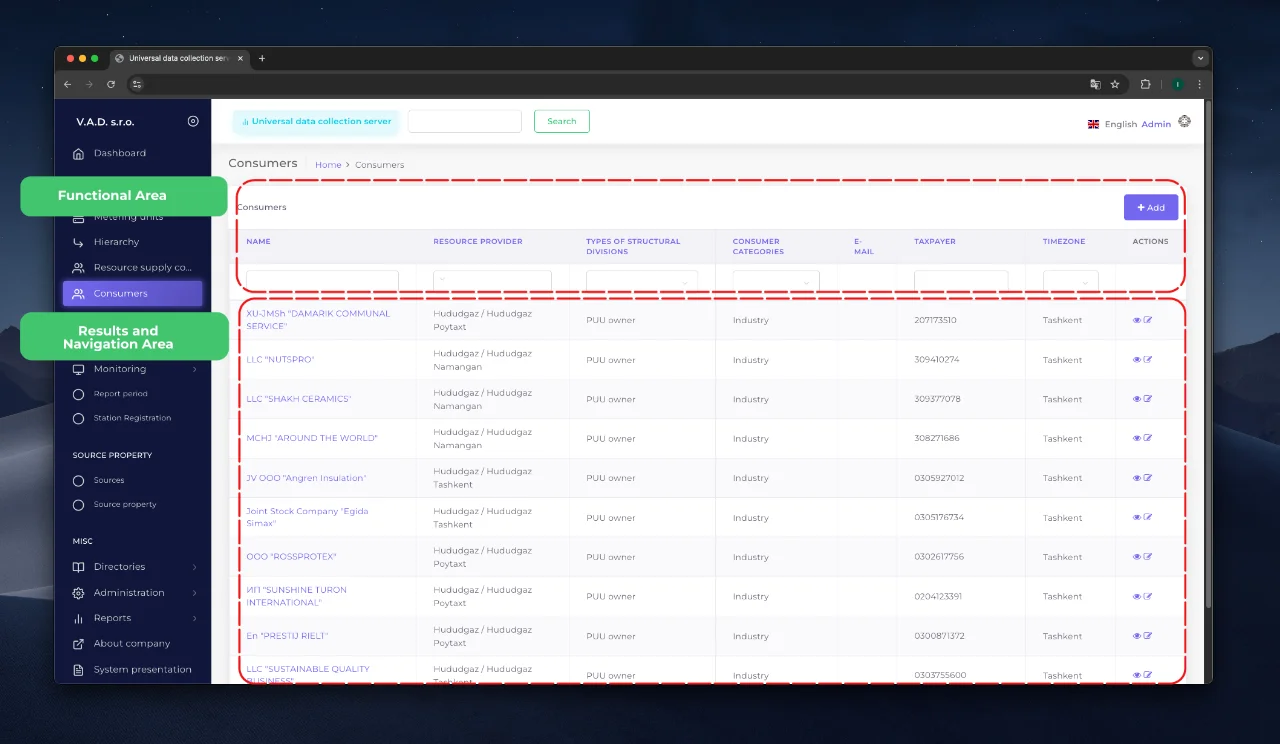
When you enter the section, a list of registered consumers is displayed. The interface is divided into two main areas:
- Results and navigation area Contains a table with consumer data and navigation elements.
- Functional area Includes tools for sorting data and managing records.
Working with data
Filtering records
For quick search, fill in the corresponding fields in the functional area. The system will automatically update the list according to the specified criteria.
Creating a new consumer
-
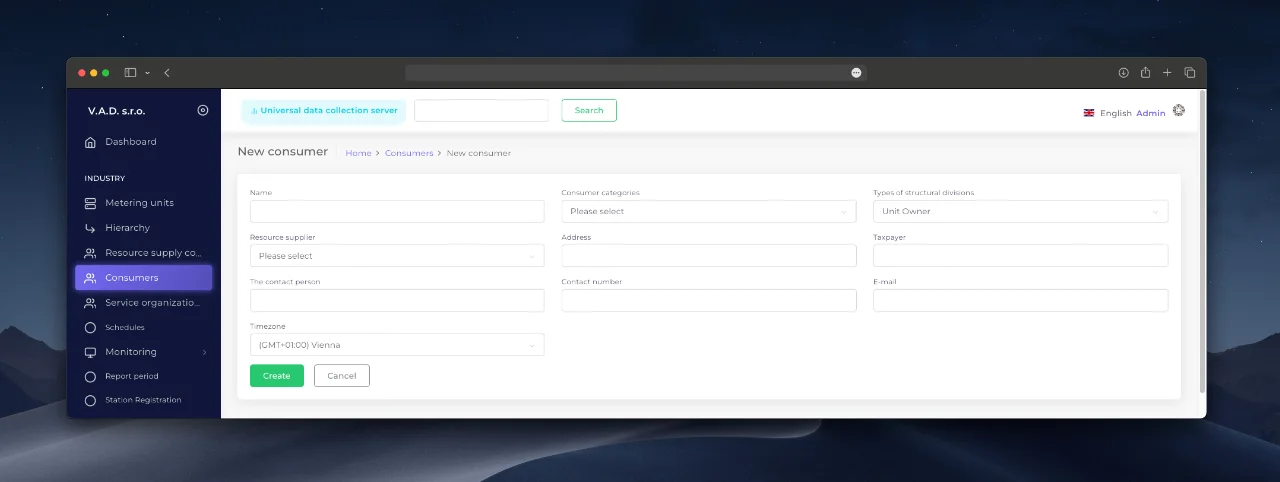
Click the «Add» button.
-
Fill in the required and additional fields in the form:
- Name — consumer name. (required field)
- Consumer category — consumer type. (required field)
- Resource matching company — link to the supplier’s branch. (required field)
- Address — physical address.
- TIN — identification number.
- Contact person, phone, email — contact information.
- Time zone — time zone.
-
Confirm the data entry by clicking the “Add” button.
Editing existing records
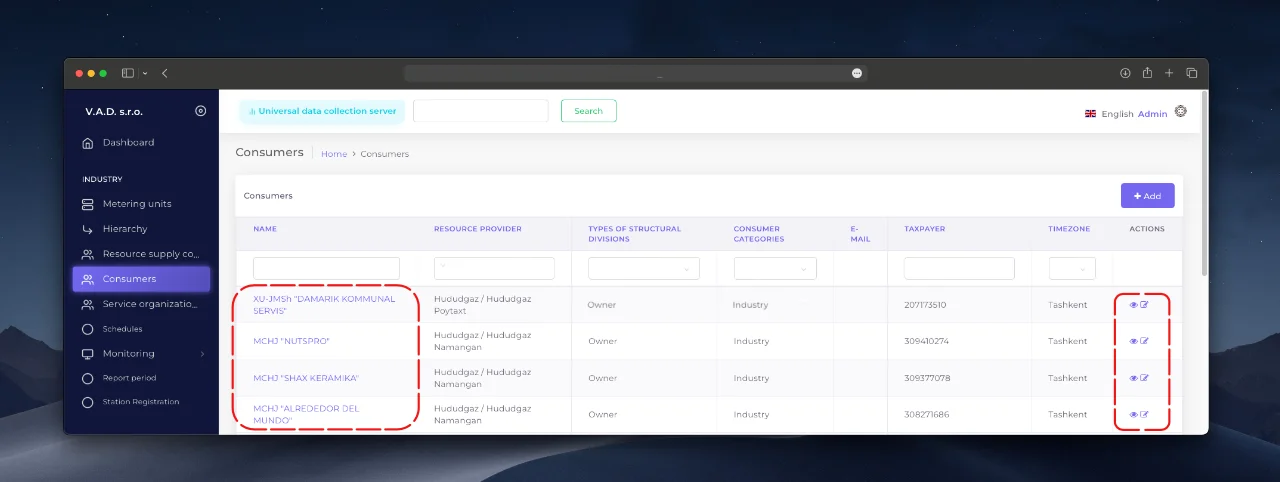
To view or change a consumer’s details:
- Select a record in the list by clicking on the hyperlink or control button.
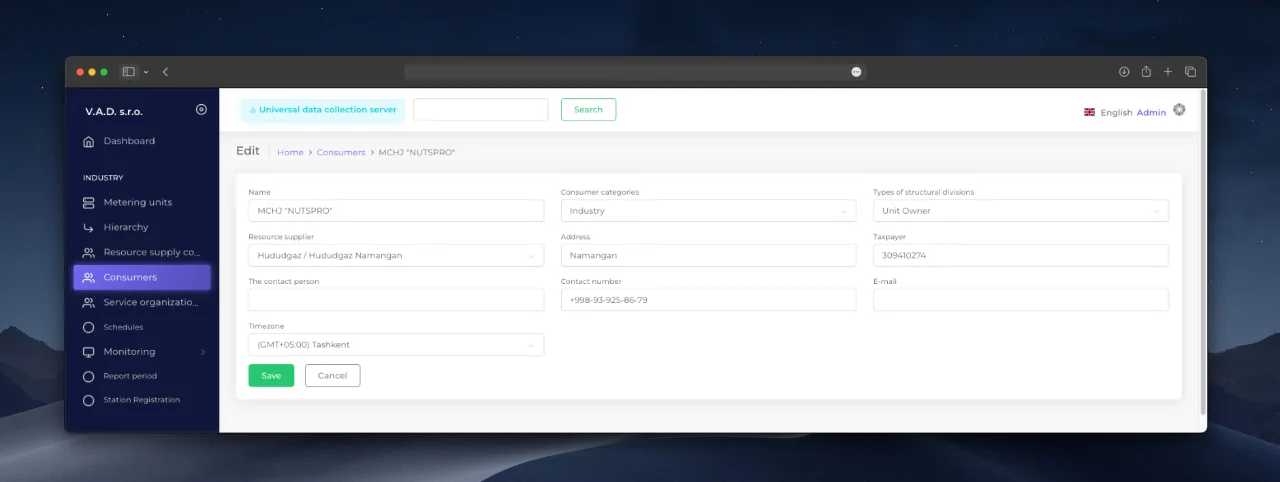
- In the consumer card, click “Edit” (or use the edit icon in the “Actions” section).
- Make changes and save them by clicking “Save”.
آخر تحديث في
هل كانت هذه الصفحة مفيدة؟
شكرًا على ملاحظاتك!