Section "Energy resource parameters"
Transmitting energy resource parameters to metering units — creating sources, setting parameters and binding units.
Section purpose
IoT platform allows to transmit energy resources parameters (e.g. gas density, nitrogen content) to Metering units. For this purpose it is necessary to:
- Create and configure the energy resource source.
- Bind parameters to the source.
- Bind the metering unit to the source.
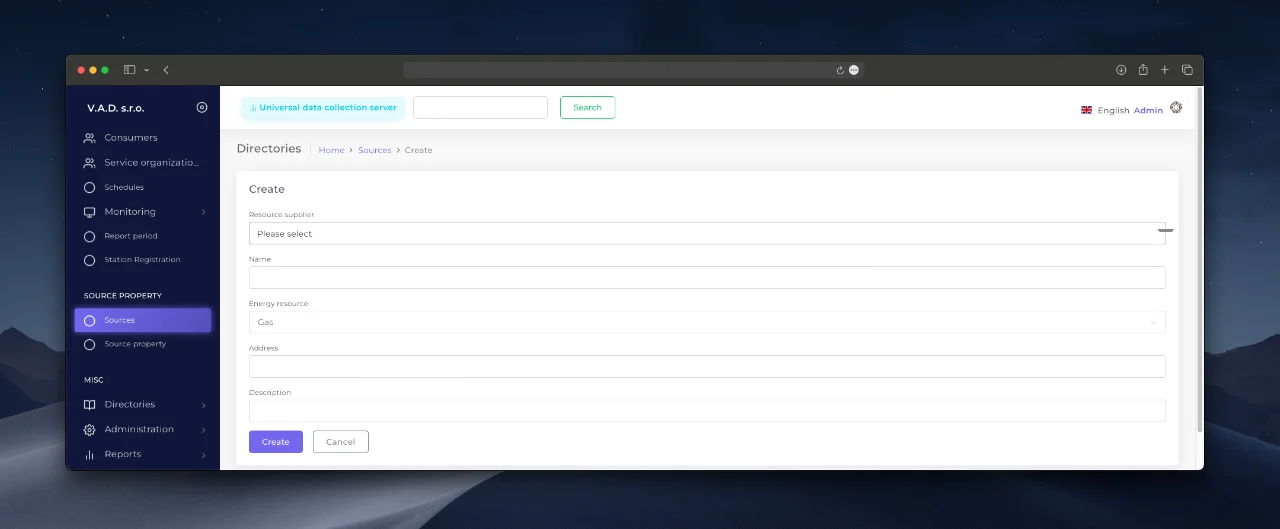
Create an energy source
- Go to the “Energy sources” → click ’Add ”.
- Fill in the following fields:
- Sourcing Company - branch of the supplier (e.g. a regional DSO branch).
- Name - unique name of the source (ex. “Warehouse No.3: Gas Supply”).
- Energy resource - type of resource (gas, electricity, water).
- Address - physical location of the source.
- Description - additional information (purpose, features).
Setting the energy resource parameters
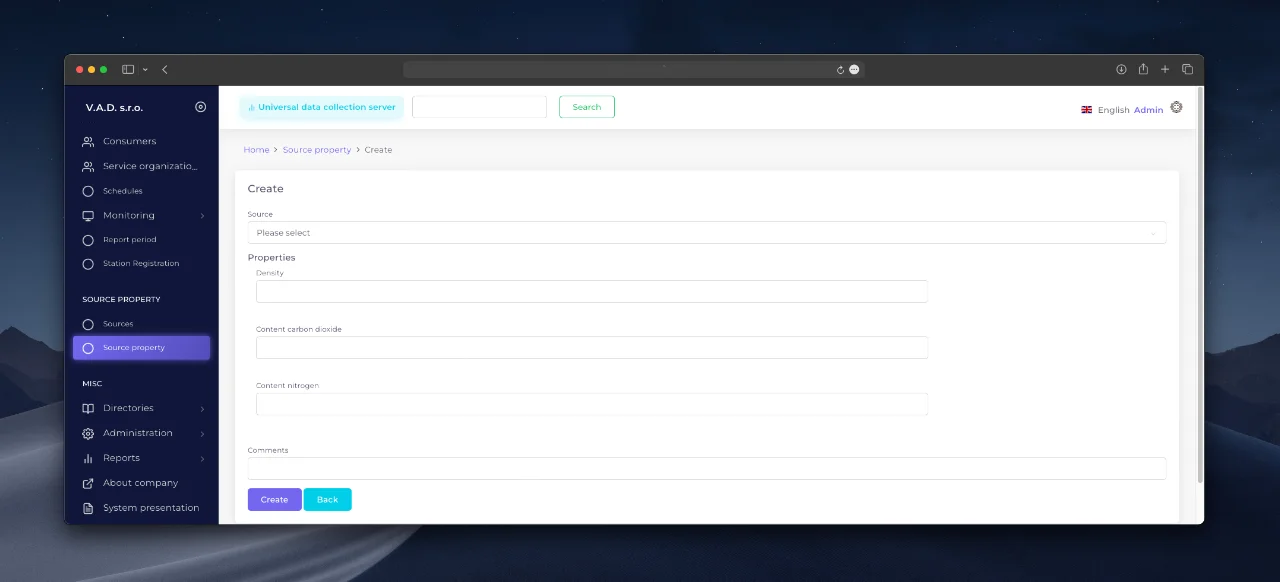
After creating the source, go to Sub-section “Energy Resource Parameters”:
- Click “Add ” → select the created source.
- Specify the parameters:
- Density, Carbon dioxide content (for gas systems), etc.
- Comment - explanations of the parameters.
Binding the Metering Unit to the Source
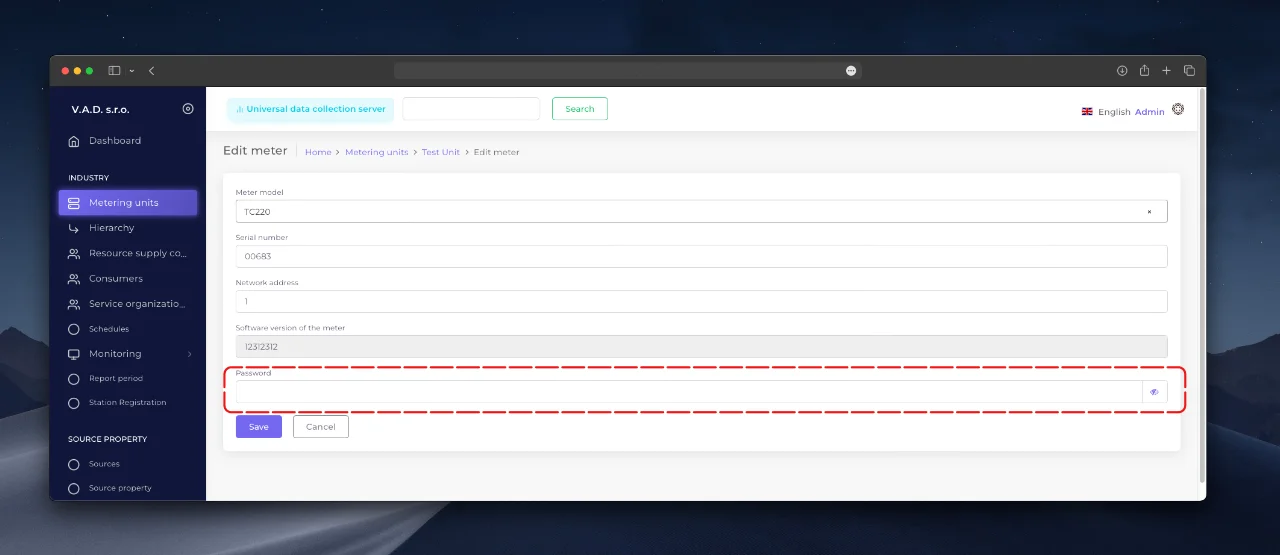
- Open the Unit card → section General Information.
- In the “Energy source” field select the created source.
- Save the changes.
آخرین بهروزرسانی در
آیا این صفحه مفید بود؟
از بازخورد شما سپاسگزاریم!