Section "Service organizations"
Managing service organization data — creating, filtering and editing service organization records.
The Service Organizations section is designed to manage service organization data. The main functions of the section include:
- Creating new organizations;
- Editing existing records.
Section Interface
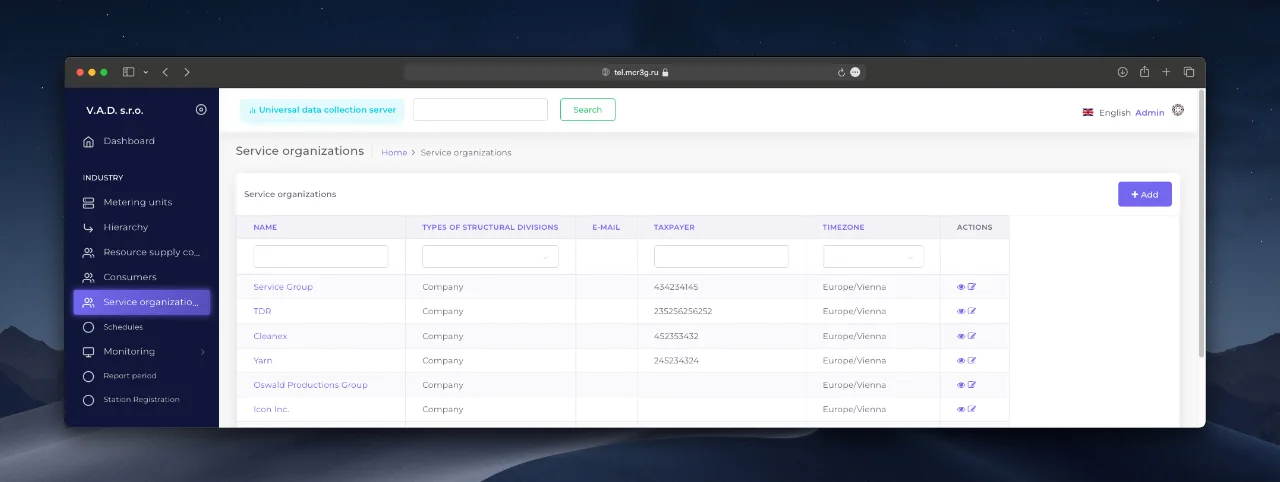
When you enter the section, a list of service organizations is displayed. The interface is divided into two main areas:
- Results and navigation area Contains a table with service organization data and navigation elements.
- Functional area Includes tools for sorting data and managing records.
Working with data
Filtering records
For a quick search, fill in the appropriate fields in the functional area. The system will automatically update the list according to the specified criteria.
Creating a new service organization
-
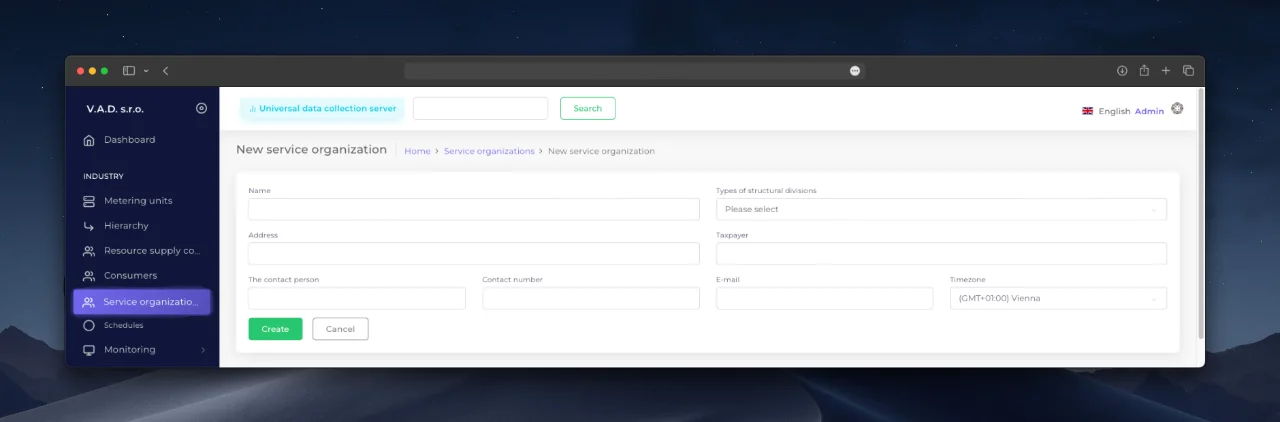
Click the “Add” button.
-
Fill in the required and optional fields in the form:
- Name — name of the service organization. (required)
- Type of structural division — type of service organization. (required)
- Address — physical address.
- TIN — identification number.
- Contact person, phone, email — contact information.
- Time zone — time zone.
-
Confirm the data entry by clicking the “Add” button.
Editing existing records
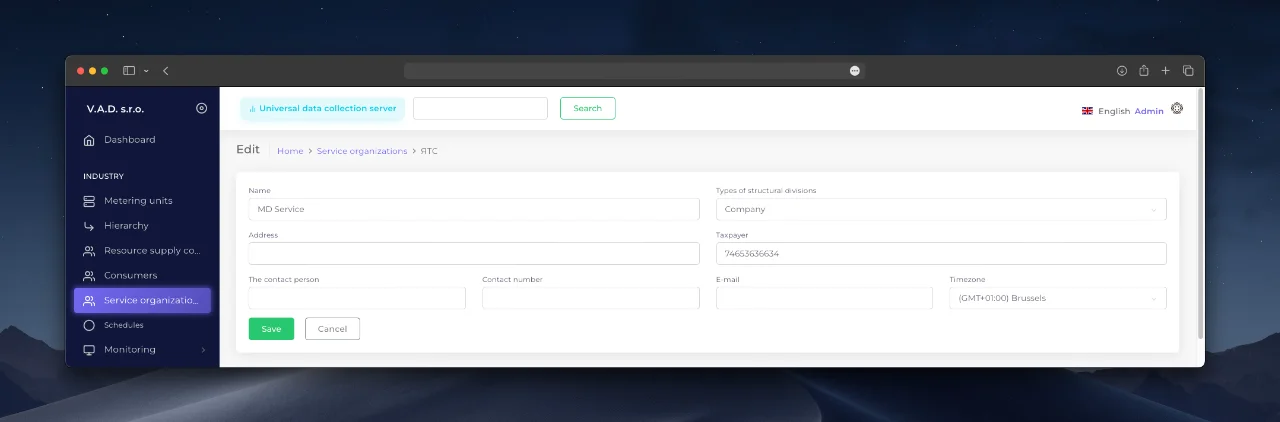
To view or change the details of a service organization:
- Select a record in the list by clicking on the hyperlink or control button.
- In the service organization card, click “Edit” (or use the edit icon in the “Actions” section).
- Make changes and save them by clicking “Save”.
Ultimo aggiornamento il
Questa pagina è stata utile?
Grazie per il tuo feedback!