Accounts Management
Creating, editing and configuring user accounts and access rights in the IoT platform.
User account management is a key function to ensure security and personalization of work in the IoT platform. Only the Platform Administrator has access to this module. Here you can create, edit and configure access rights, adapting the system to the needs of the organization.
Access to the control section
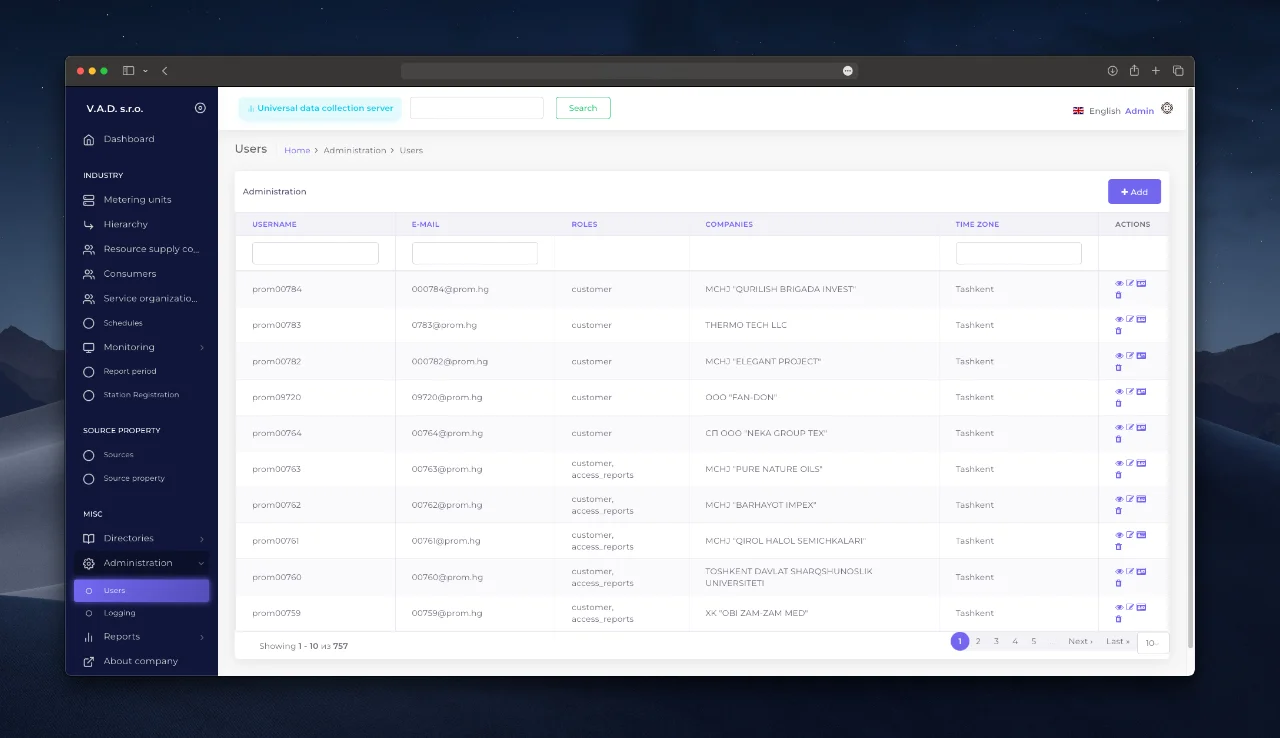
- Go to “Administration” → tab ’Users”.
- The page that opens will display a list of all registered users with their access rights.
Create a new account
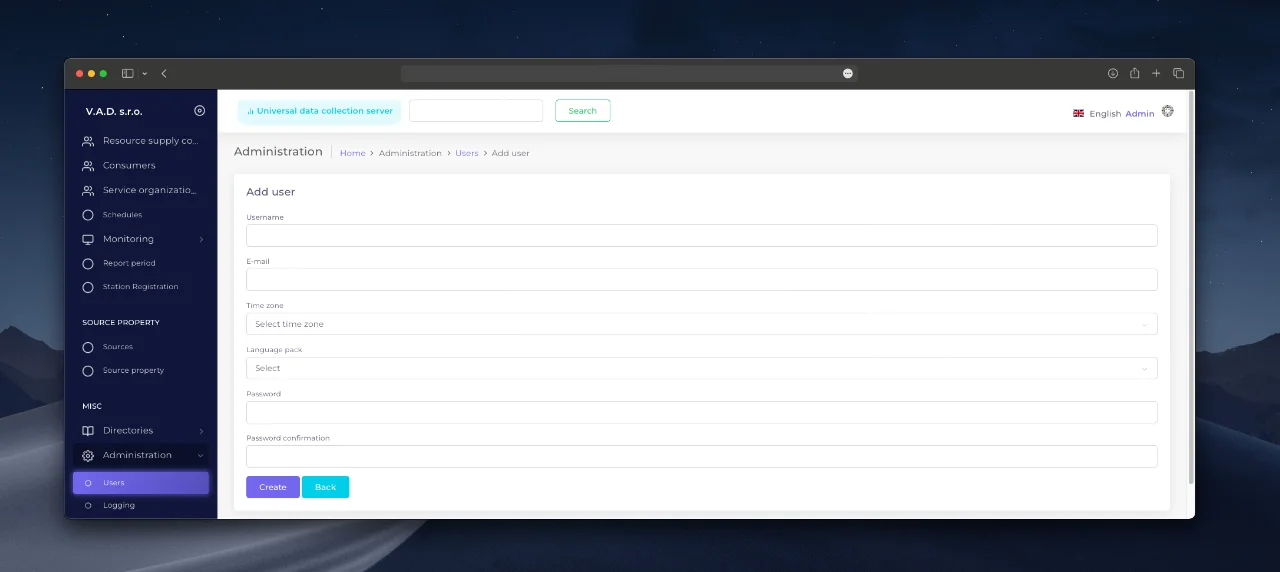
- Click the “Add” button.
- Fill in the required fields:
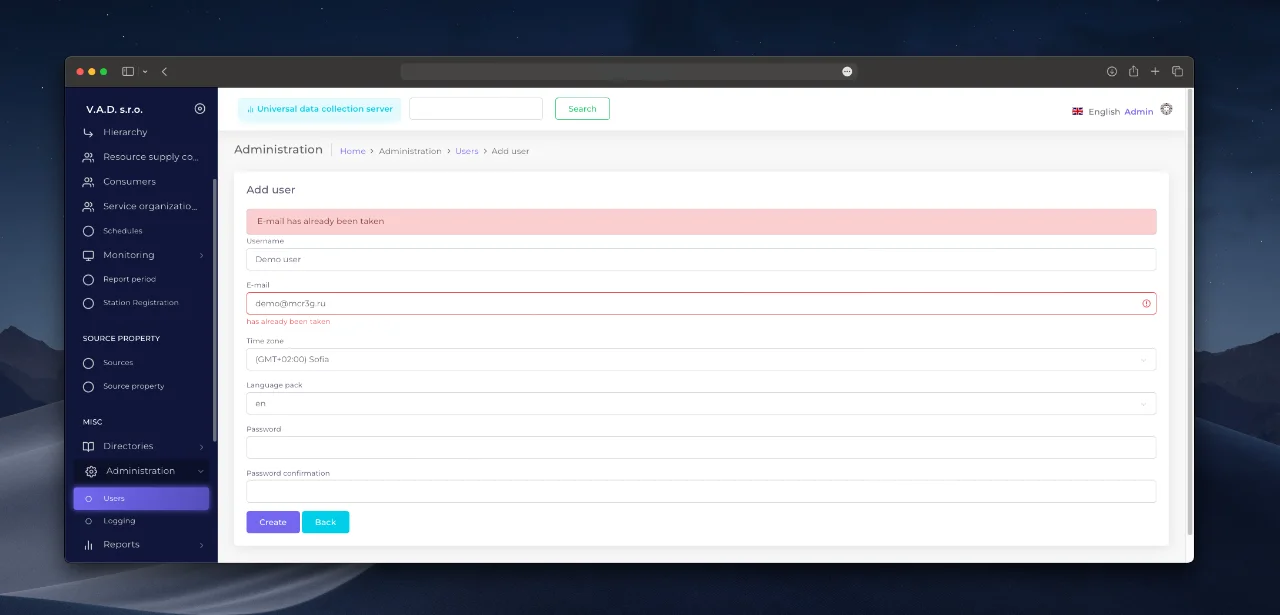
- Email - used as login (must be unique).
- Password - minimum 8 characters (numbers, letters).
- Specify additional parameters:
- Time zone - for correct time display.
- Language package - interface display language.
Configuring access rights
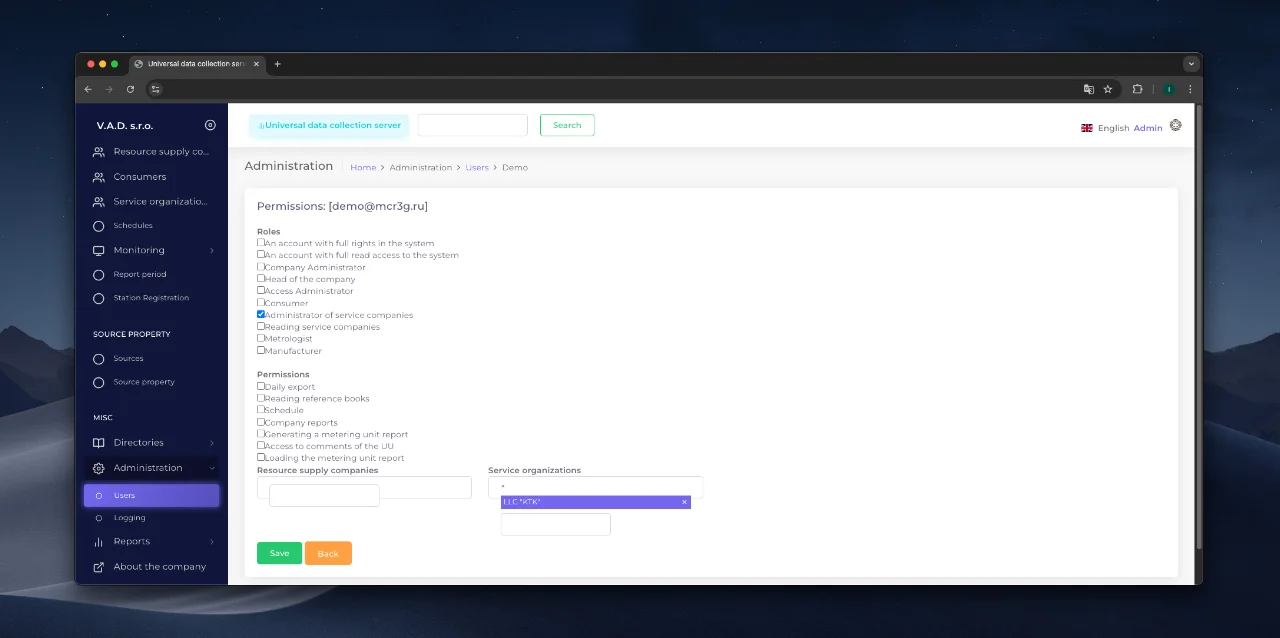
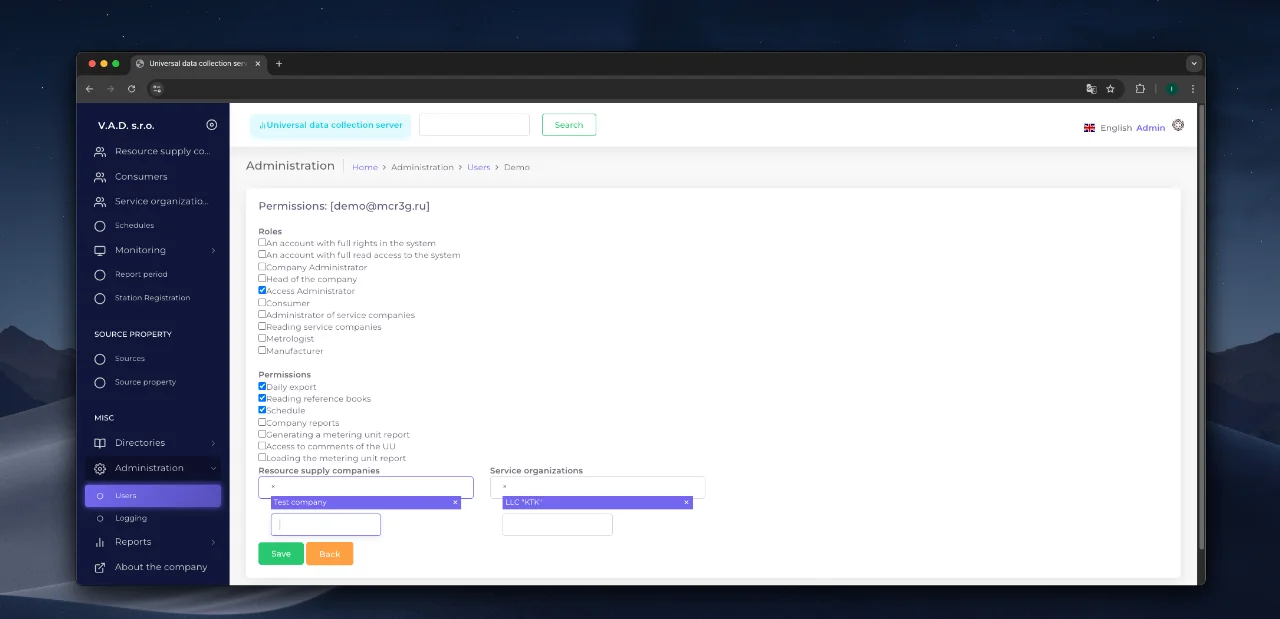
After creating an account, you must assign permissions:
- In the user list, select “Permissions” in the “Actions” column.
- Specify:
- Basic access level (for example, “Service Company Administrator”).
- Additional Options - additional tools to work with.
Required restrictions for some roles:
- The “Service Company Administrator” requires a binding to:
- Resource Supply Company,
- Service Organization.
Editing an account
- From the user list, select “Edit”.
- Change the details:
- Name, email, time zone, language.
- Password (if you leave the field blank, the old password will be retained).
Deleting a user
- In the Actions column, select “Delete”.
- Confirm the operation.
Example workflow
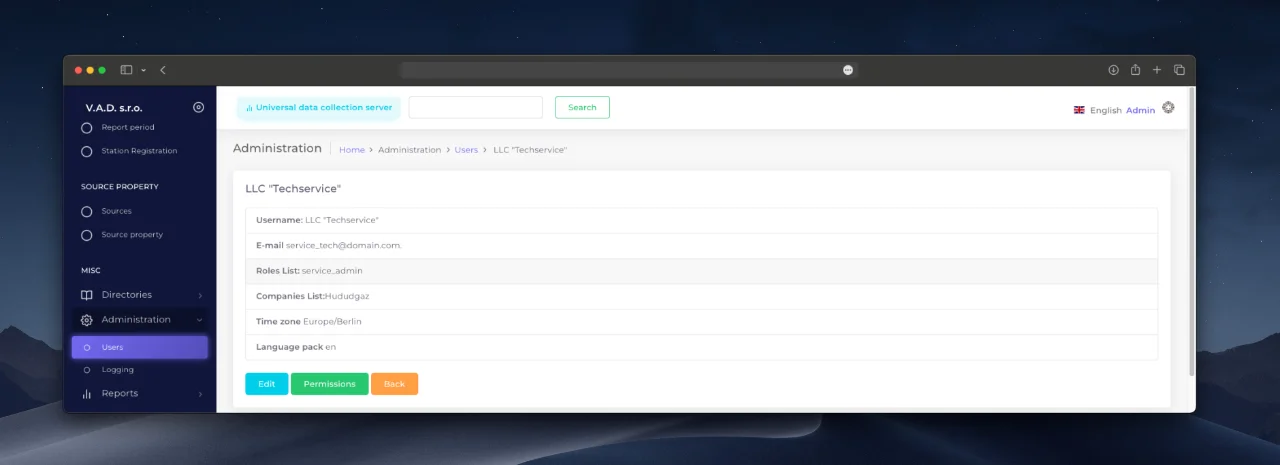
Task: Create an account for an employee of a service company. Actions:
- Fill in the fields:
- Email: service_tech@domain.com.
- *Password: ****.
- Assign the access level “Service Company Administrator ”.
- Bind to:
- Resource supplying company: “Example Gas Distribution”.
- Service organization: “TechService”.
- Connect modules:
- Reporting access.
- Equipment monitoring.
Result: The employee will have access only to the metering units assigned to TechService.
Security mechanisms
- Unique email verification - prevents duplicate accounts.
- Password encryption - data is stored in encrypted form.
- Action Logging - all changes are logged in the Events Log section.
Oxirgi yangilanish
Ushbu sahifa foydali boʻldimi?
Fikr-mulohazangiz uchun rahmat!