اجرا و صف کاری
کار چگونه انجام میشود — مالکیت عملیاتی، صف کاری با رتبهبندی پویا، عملیات انبوه، واگذاری با توجه به ظرفیت و اجرای میدانی روی تلفن همراه.
Operational Health Matrix رفع مشکلات عملیاتی را یک فرایند مدیریتشده میداند، نه مجموعهای از وظیفههای مستقل.
پس از ایجاد Operational Issue، سامانه بهطور خودکار زمینهٔ کار را میسازد، حوزهٔ عملیاتی مسئول را تعیین میکند، سیاست SLA متناظر را اعمال میکند و شیء را در صف اجرا قرار میدهد.
به این ترتیب چرخهٔ پیوستهٔ مدیریت کار از لحظهٔ شناسایی مشکل تا بازگشت تأییدشدهٔ تجهیزات به وضعیت عادی تضمین میشود.
مدل اجرا
هر Operational Issue از یک چرخهٔ اجرای واحد میگذرد.
flowchart TD
A["شناسایی"] --> B["Operational Issue"]
B --> C["مالکیت عملیاتی"]
C --> D["برنامهریزی"]
D --> E["اجرا"]
E --> F["راستیآزمایی"]
F --> G["بستن"]
G --> H["بهبود پیوسته"]در هر مرحله موارد زیر ثبت میشوند:
- مسئول؛
- مهلتها؛
- وضعیت؛
- تاریخچهٔ تغییرات؛
- Evidence؛
- وظیفههای مرتبط (Tasks)؛
- مقالههای بهکاررفتهٔ Knowledge Base؛
- نتایج راستیآزمایی.
مالکیت عملیاتی (Operational Ownership)
تعیینکنندهٔ مسئولیت، حوزهٔ عملیاتی است و نه کاربر.
برای نمونه:
| Canon | مالک پیشفرض |
|---|---|
no_hourly_archive | یکپارچهسازی Backend |
stale_communication | تیم ارتباطات |
battery_low | سرویس میدانی |
pressure_sensor_stuck | Metering |
firmware_regression | تیم Firmware |
registry_duplicate | مدیریت Registry |
پس از تعیین حوزه، سامانه مهندس مشخصی را بر پایهٔ موارد زیر برمیگزیند:
- صلاحیت؛
- بار کاری؛
- منطقه؛
- برنامهٔ کاری؛
- کارهای انباشتهٔ کنونی (backlog)؛
- سطح مجوز.
در صورت لزوم، مدیر میتواند این واگذاری را بهصورت دستی تغییر دهد.
صف کاری
صف کاری نمایی پویا از Operational Issues فعال است.
برخلاف فهرست کارهای سنتی، صف بر پایهٔ ترکیبی از عوامل ساخته میشود:
- اولویت (Priority)؛
- شدت (Severity)؛
- اطمینان عملیاتی (Operational Confidence)؛
- زمان باقیماندهٔ SLA؛
- اثر بر کسبوکار (Business Impact)؛
- شمار Assetهای متأثر؛
- شمار بازگشاییها (Reopen Count)؛
- میزان اطمینان به Root Cause.
بهصورت پیشفرض، بحرانیترین اشیاء صرفنظر از زمان ایجادشان بهطور خودکار به بالای صف میآیند.
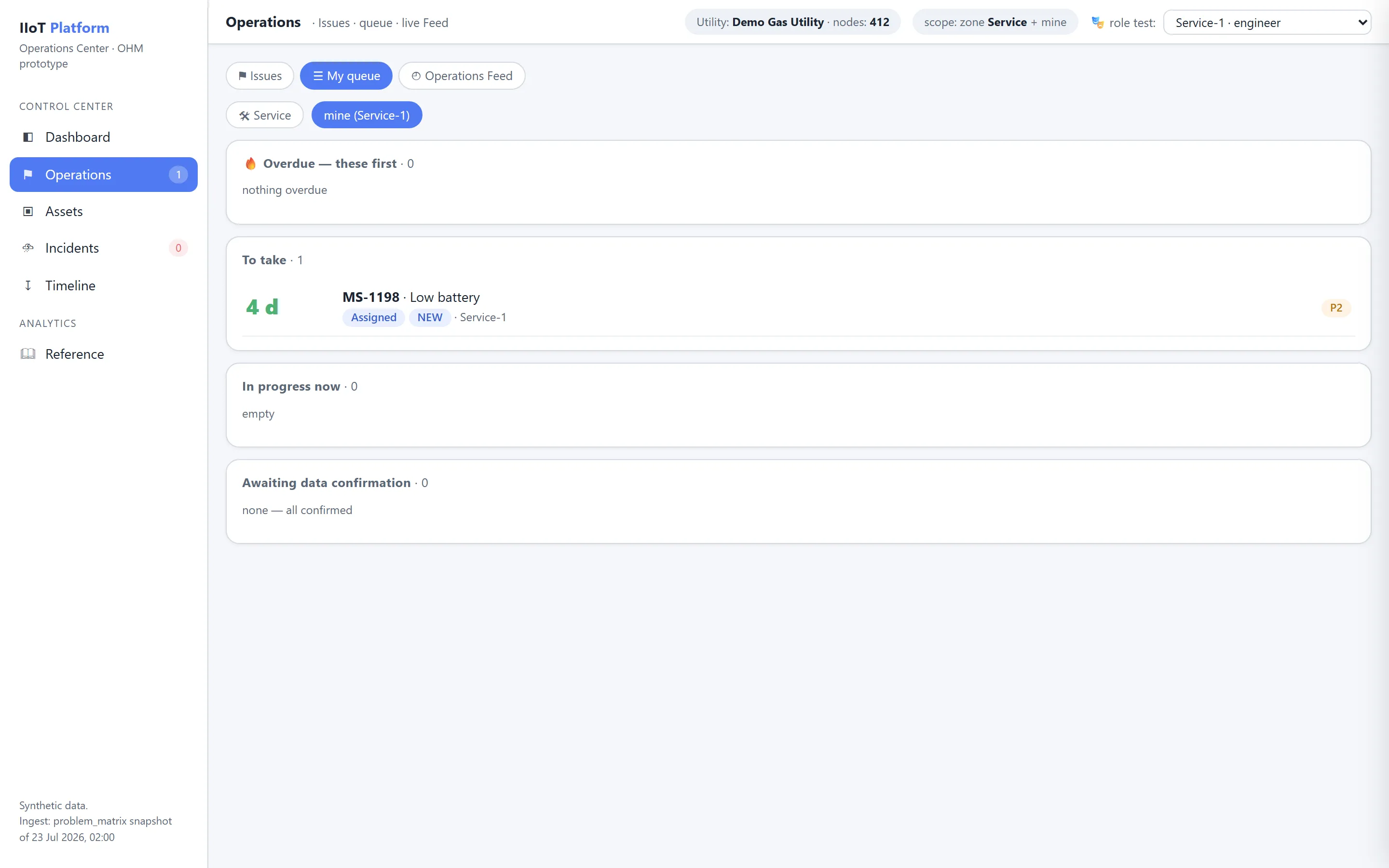
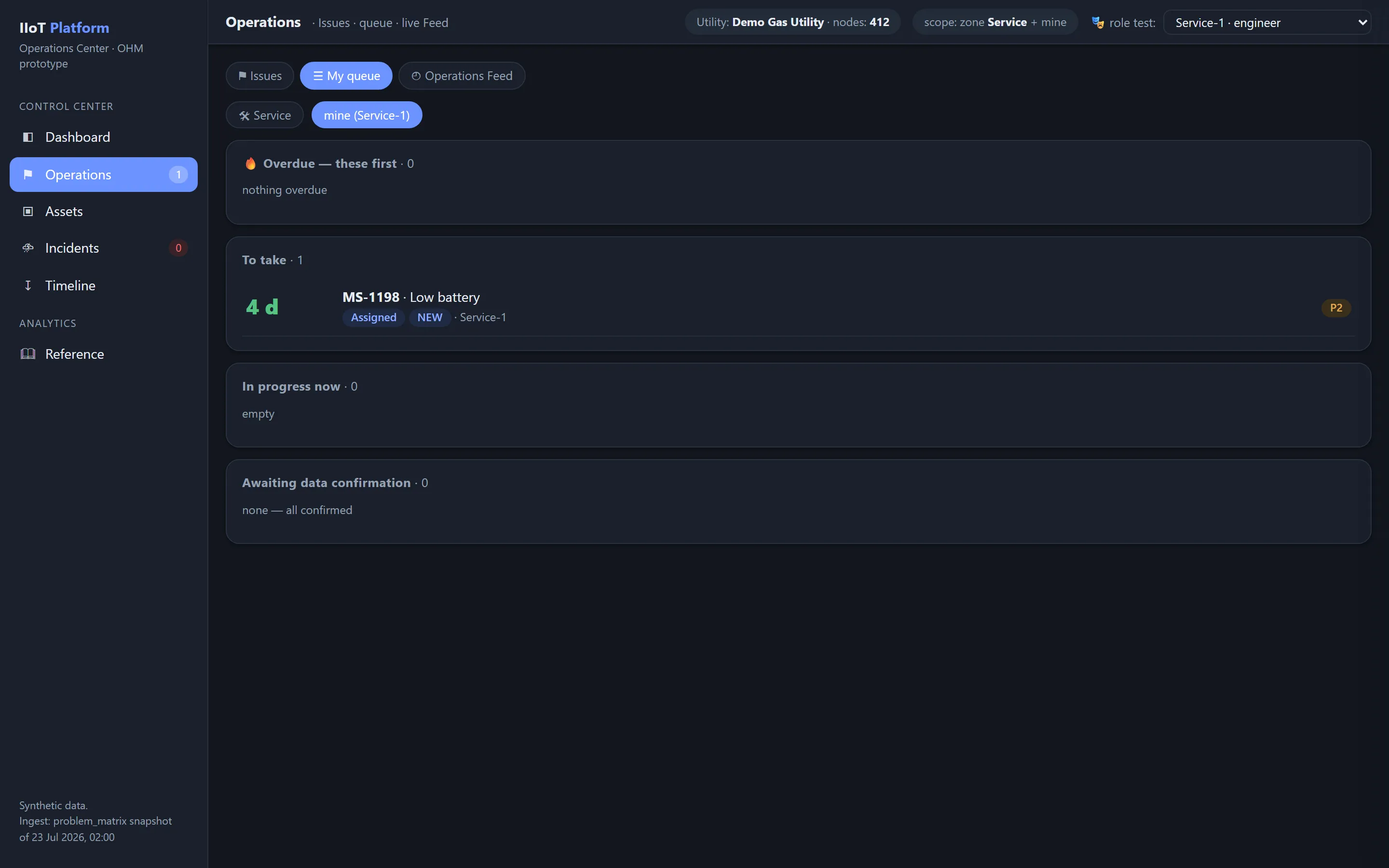
دستههای صف
OHM از چند صف تخصصی پشتیبانی میکند.
ورودی (Incoming)
مشکلات تازهای که در انتظار تریاژ هستند.
واگذارشده (Assigned)
مشکلاتی که به یک مهندس واگذار شدهاند.
در حال انجام (In Progress)
کارهایی که هماکنون در جریاناند.
در انتظار راستیآزمایی (Awaiting Verification)
کار انجام شده و در انتظار تأیید است.
عقبافتاده (Overdue)
الزامات SLA نقض شدهاند.
تشدیدشده (Escalated)
مشکلاتی که بهطور خودکار تشدید شدهاند.
بازگشاییشده (Reopened)
مشکلاتی که پس از بستهشدن دوباره رخ دادهاند.
رخدادهای گسترده (Massive Incidents)
رخدادهای عملیاتی در سطح سامانه.
اولویتبندی صف
سامانه برای رتبهبندی از یک اولویت تجمیعی استفاده میکند.
برای نمونه:
که در آن
- P — اولویت (Priority)؛
- S — شدت (Severity)؛
- B — اثر بر کسبوکار (Business Impact)؛
- C — اطمینان عملیاتی (Operational Confidence)؛
- T — زمان باقیماندهٔ SLA.
امتیاز بهدستآمده تنها برای مرتبسازی صف به کار میرود و Priority رسمی شیء را تغییر نمیدهد.
عملیات انبوه
OHM از عملیات انبوه روی گروهی از Operational Issues پشتیبانی میکند.
برای نمونه:
- تغییر مالک؛
- تغییر حوزه؛
- تغییر SLA؛
- تعیین Root Cause مشترک؛
- ادغام در یک Massive Incident؛
- بهکارگیری یک Knowledge Article؛
- تغییر اولویت؛
- خروجیگیری.
همهٔ اقدامات انبوه در Audit Trail ثبت میشوند.
توجه به ظرفیت (Capacity)
هنگام واگذاری کار، بار کاری واقعی واحدها در نظر گرفته میشود.
هر مهندس با شاخصهای زیر توصیف میشود:
- Active Issues؛
- Verification Queue؛
- Planned Work؛
- Availability؛
- Current Capacity.
اگر بار کاری از حد تعیینشده فراتر رود، سامانه بازتوزیع کارها را پیشنهاد میدهد.
توزیع بار کاری
سامانه برای پیشگیری از اضافهبار از متوازنسازی استفاده میکند.
در توزیع، موارد زیر در نظر گرفته میشوند:
- شمار Issues باز؛
- میزان بحرانیبودن کل؛
- میانگین زمان رفع؛
- صلاحیتها؛
- تعلق منطقهای؛
- سابقهٔ انجام کارهای مشابه.
اجرا روی تلفن همراه
نسخهٔ میدانی OHM موارد زیر را در اختیار مهندس قرار میدهد:
- کارت Asset؛
- مسیر؛
- تاریخچه؛
- آخرین Evidence؛
- عکسهای مرتبط؛
- دستورالعملها؛
- Knowledge Articles؛
- امکان پیوستکردن مستندات تازه؛
- امضای الکترونیکی؛
- تأیید انجام کار.
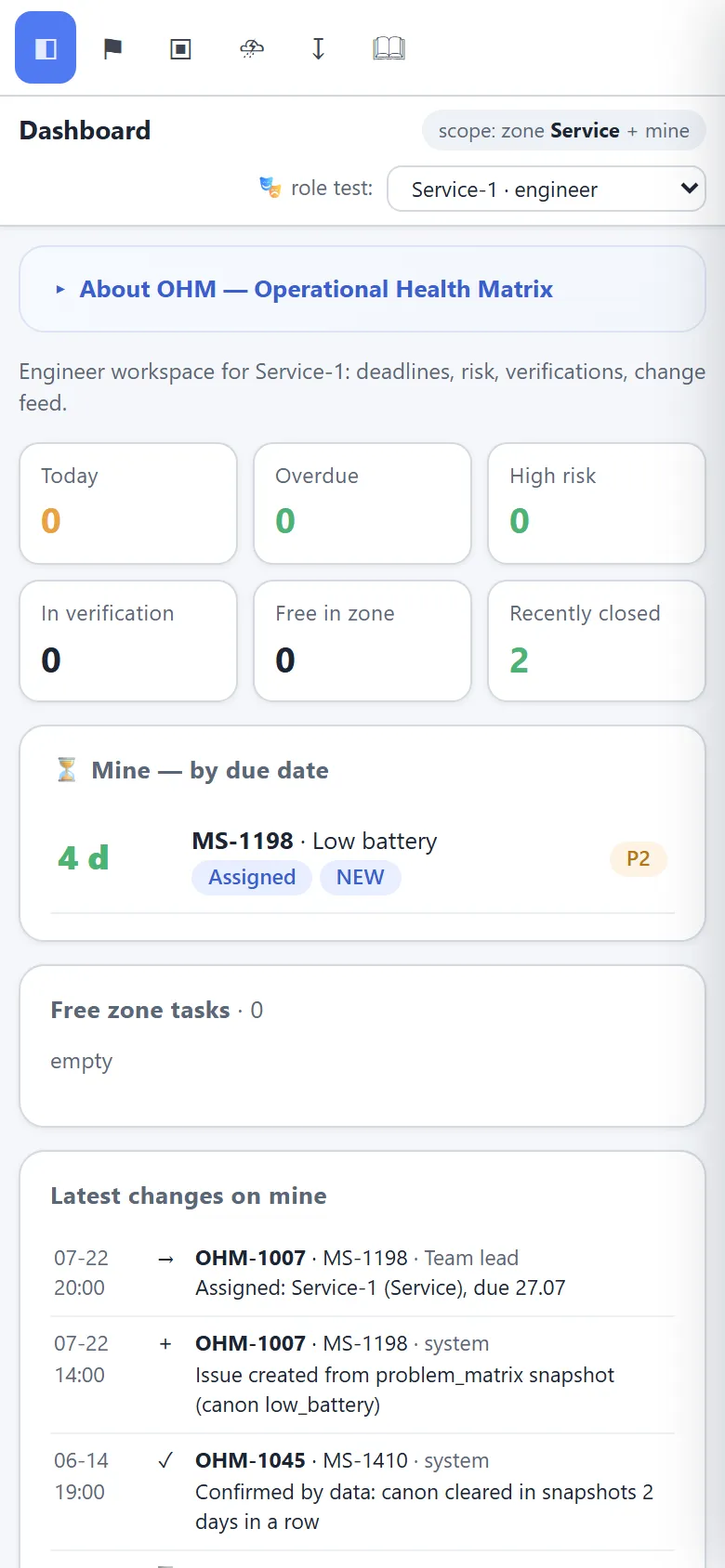
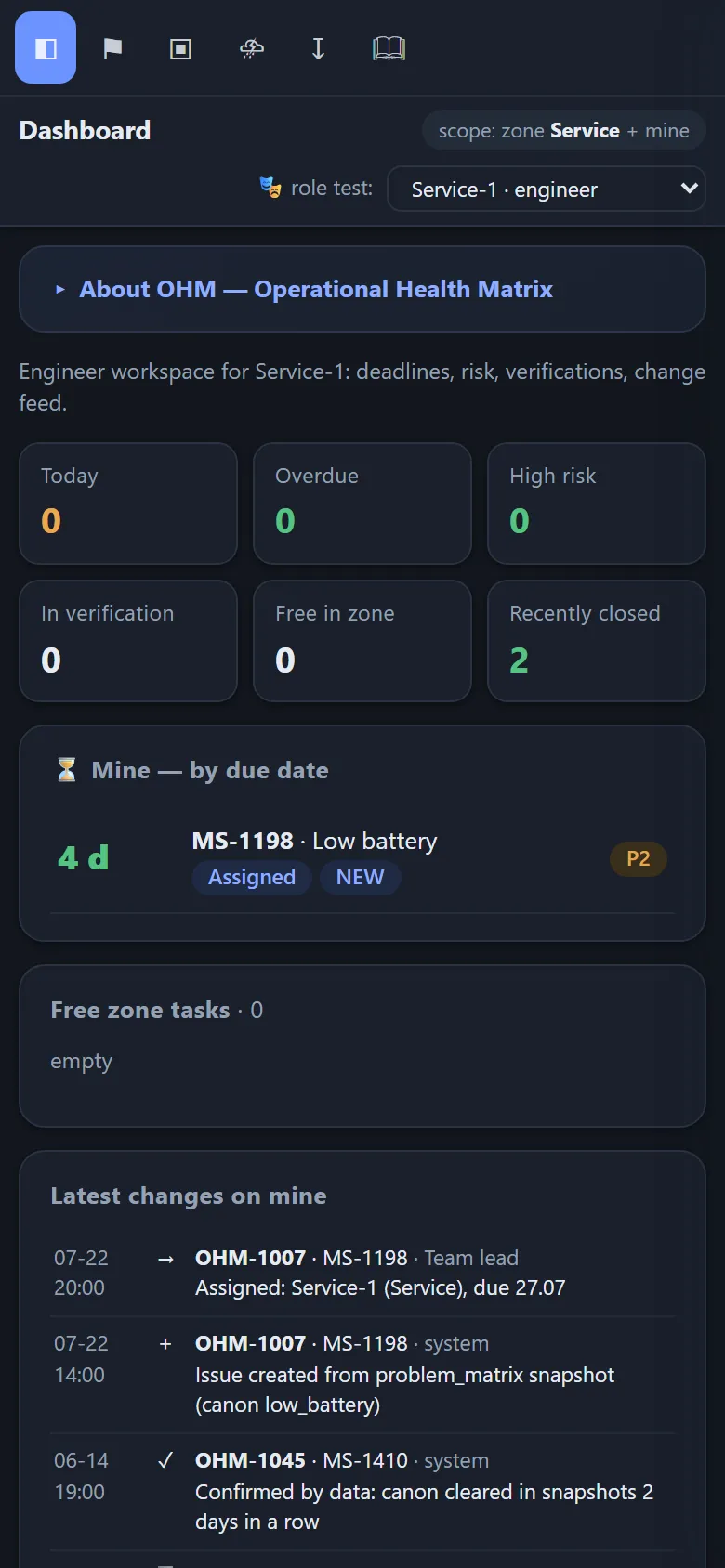
پس از همگامسازی، این اطلاعات بیدرنگ در دسترس دیسپچر قرار میگیرد.
موضوعات مرتبط
آیا این صفحه مفید بود؟
از بازخورد شما سپاسگزاریم!