Operative Probleme und Lebenszyklus
Das Operational Issue als Arbeitseinheit — Basismodell, Unterschied zwischen Issue und Task, einzelne und massive Ausprägungen, der Status-Workflow mit seiner Übergangsmatrix und das unveränderliche Audit-Protokoll.
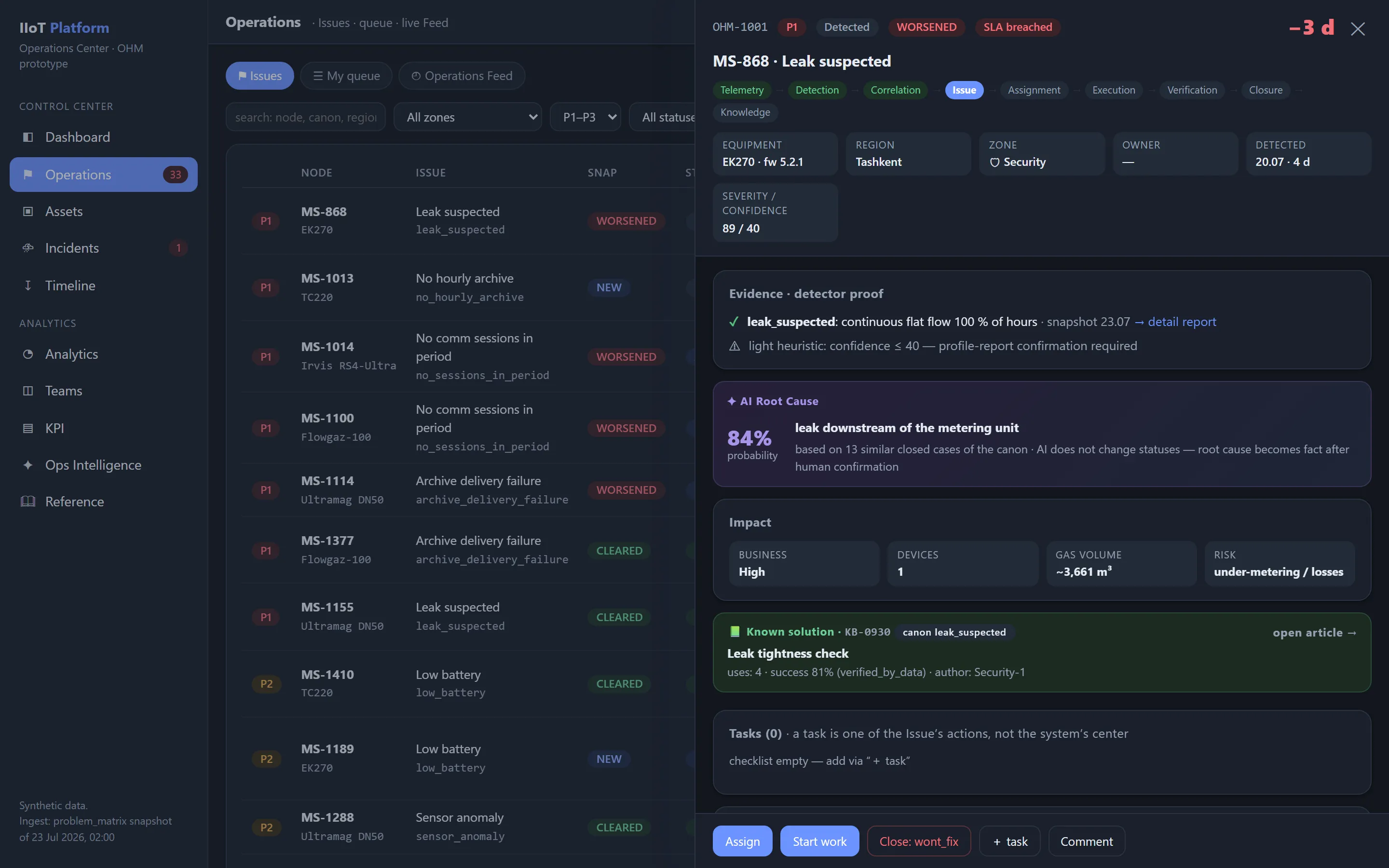
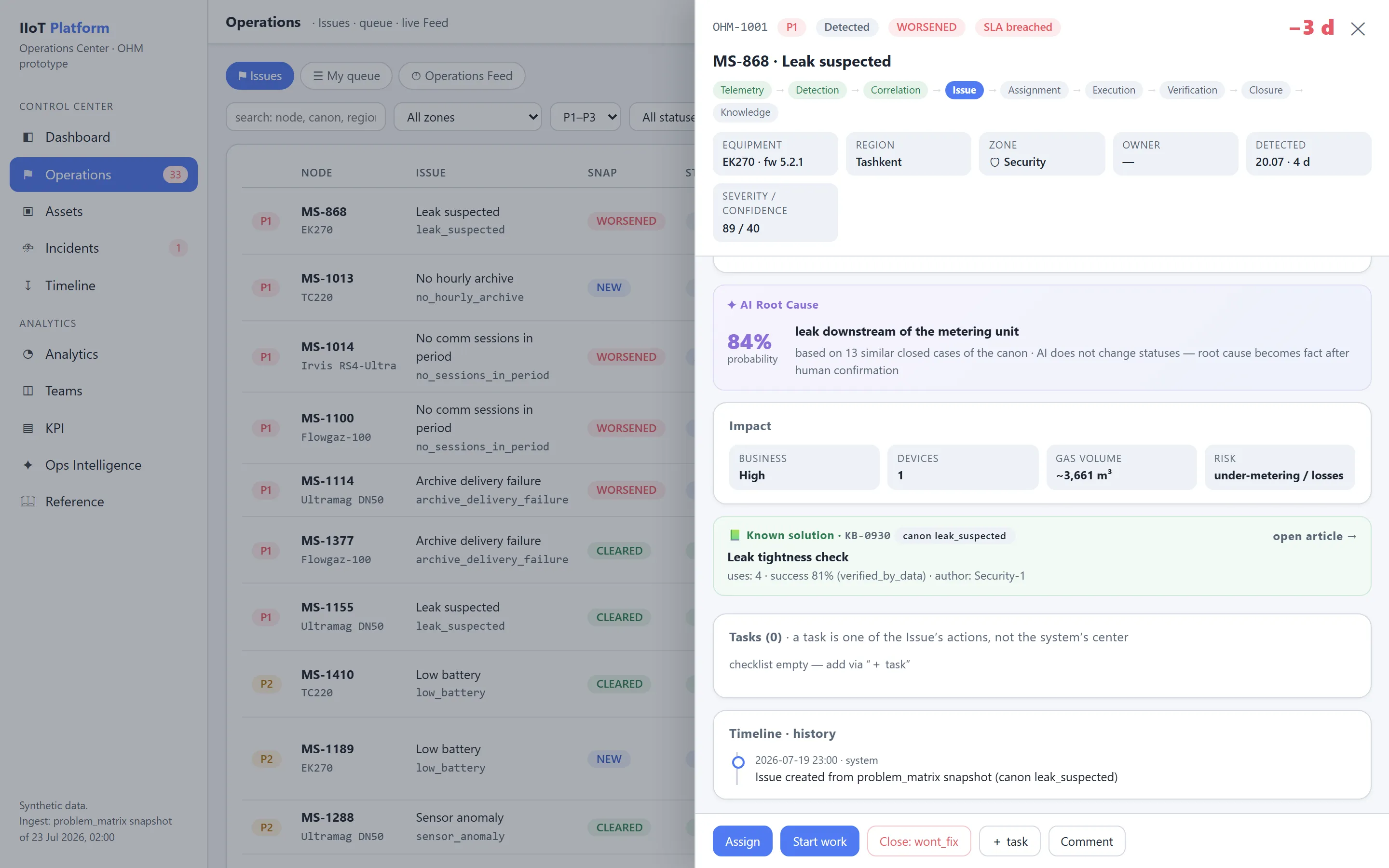
Operational Issue
Operational Issue ist die zentrale Entität von OHM.
Es ist ein zustandsbehaftetes (stateful) Objekt, das ein betriebliches Problem über seinen gesamten Lebenszyklus hinweg abbildet.
Basismodell
id: OHM-2026-001842
kind: single
canon: no_hourly_archive
title: 'Hourly archive is missing'
priority: P1
severity: critical
confidence: 0.94

scope:
  organization: 'Demo Gas Utility'
  region: 'North'
  asset_id: 'station-5690'

ownership:
  zone: backend_integration
  assignee: 'Integration-2'

timestamps:
  first_detected_at: '2026-07-21T04:00:00Z'
  created_at: '2026-07-21T04:03:12Z'
  acknowledged_at: '2026-07-21T05:10:00Z'
  due_at: '2026-07-22T04:00:00Z'
  resolved_at: null

status:
  workflow: in_progress
  snapshot: persistent
  overdue: false
  unattended: false
  chronic: false

root_cause:
  class: communication
  hypothesis: 'device does not establish a communication session'
  confidence: 0.82
  confirmed: false

evidence: []
tasks: []
history: []
related_issues: []
knowledge_articles: []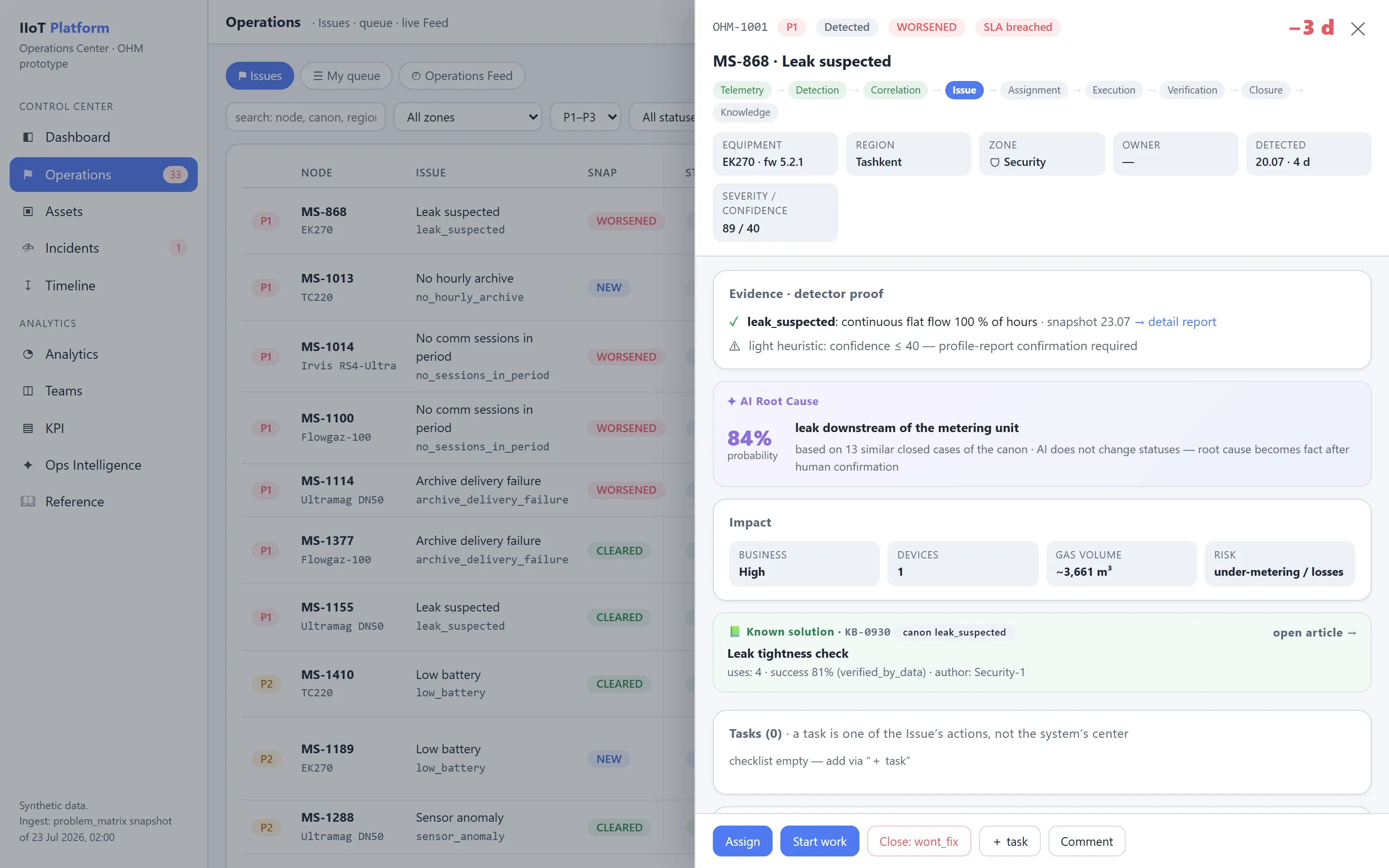
Issue und Task sind unterschiedliche Entitäten
Ein Issue beantwortet die Frage:
Welches betriebliche Problem muss behoben werden?
Ein Task beantwortet die Frage:
Welche konkrete Maßnahme muss ausgeführt werden?
Ein einzelnes Issue kann mehrere Tasks enthalten. Für das Issue Archiv für 38 Geräte fehlt:
- Task 1 — Verfügbarkeit des Gateways prüfen;
- Task 2 — Serverwarteschlange prüfen;
- Task 3 — Firmware-Versionen vergleichen;
- Task 4 — Mobilfunkanbieter kontaktieren;
- Task 5 — stichprobenartige Prüfung vor Ort durchführen.
Das Schließen eines einzelnen Tasks schließt das Issue nicht automatisch.
Einzelne und massive Issues
OHM verwendet für beide Größenordnungen ein einziges Modell:
| Art | Beschreibung |
|---|---|
single | Problem eines einzelnen Assets oder einer einzelnen logischen Entität |
massive | systemweite Störung, die eine Gruppe von Assets betrifft |
manual | von einer Person erfasstes Problem |
external | aus einem externen System importiertes Problem |
Lebenszyklus eines Operational Issue
Primärer Workflow
flowchart TD
  S1["Erkannt"] --> S2["Triagiert"]
  S2 --> S3["Zugewiesen"]
  S3 --> S4["Angenommen"]
  S4 --> S5["In Bearbeitung"]
  S5 --> S6["Wartet auf Verifizierung"]
  S6 --> S7["Verifiziert"]
  S7 --> S8["Behoben"]
  S8 --> S9["Archiviert"]
Zusätzliche Endzustände:
- abgebrochen;
- Duplikat;
- nicht reproduziert;
- Behebung nicht vorgesehen;
- Risiko akzeptiert.
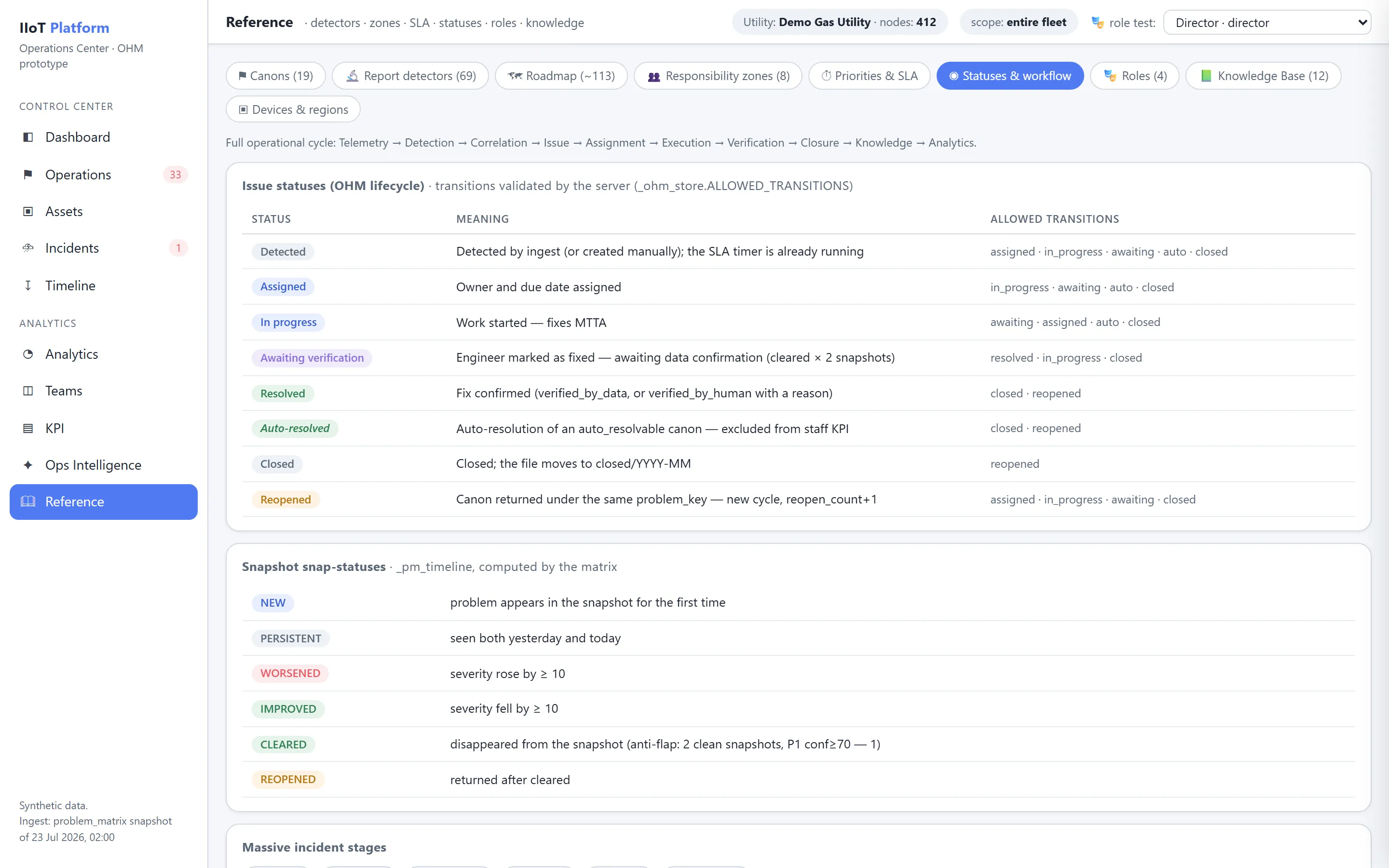
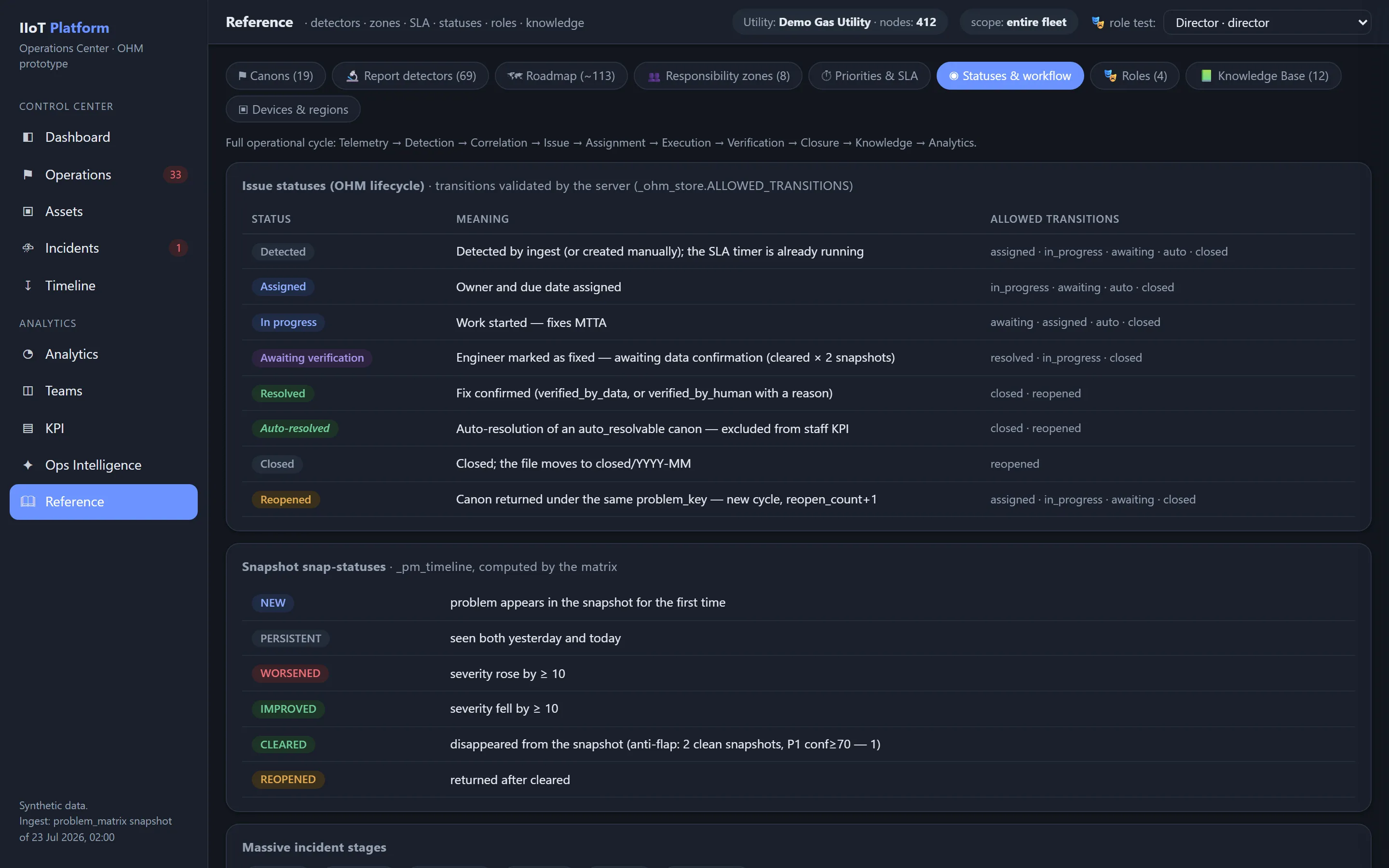
Workflow-Status
| Status | Bedeutung |
|---|---|
detected | das Issue wurde automatisch oder manuell angelegt |
triaged | Severity, Zuständigkeitszone und Ausgangskontext wurden geprüft |
assigned | ein verantwortlicher Bearbeiter wurde bestimmt |
accepted | der Bearbeiter hat die Annahme bestätigt |
in_progress | die Arbeiten laufen |
awaiting_verification | die Arbeit ist als erledigt gemeldet und wartet auf die Verifizierung |
verified | das Ergebnis wurde bestätigt |
resolved | das Issue ist mit einem festgestellten Ergebnis geschlossen |
archived | das abgeschlossene Objekt wurde in die Langzeithistorie verschoben |
cancelled | das Issue wurde aus einem dokumentierten Grund abgebrochen |
duplicate | das Issue ist ein Duplikat eines anderen Objekts |
not_reproduced | das Problem wurde bei der Verifizierung nicht bestätigt |
wont_fix | es wurde die Managemententscheidung getroffen, auf eine Behebung zu verzichten |
accepted_risk | das Risiko wurde von einer befugten Person formal akzeptiert |
Snapshot-Status
Zusätzlich zum Workflow verfolgt OHM den Zustand des Problems anhand des täglichen Detector-Snapshots:
| Snapshot-Status | Bedeutung |
|---|---|
new | das Problem ist erstmals aufgetreten |
persistent | das Problem besteht fort |
worsened | der Zustand hat sich verschlechtert |
improved | der Zustand hat sich verbessert, das Problem besteht aber weiterhin |
cleared | der Detector bestätigt das Problem nicht mehr |
reopened | das Problem ist nach dem Schließen erneut aufgetreten |
Workflow-Status und Snapshot-Status werden niemals vermischt.
Beispiel: workflow_status = in_progress zusammen mit snapshot_status = improved.
Das bedeutet, dass die Arbeiten noch laufen, während die objektiven Daten bereits eine Verbesserung zeigen.
Übergangsmatrix
| Aktueller Status | Zulässige Übergänge |
|---|---|
| detected | triaged, assigned, duplicate, cancelled |
| triaged | assigned, cancelled, accepted_risk |
| assigned | accepted, in_progress, reassigned |
| accepted | in_progress, reassigned |
| in_progress | awaiting_verification, escalated, accepted_risk |
| awaiting_verification | verified, in_progress |
| verified | resolved |
| resolved | reopened, archived |
| reopened | triaged, assigned, in_progress |
| jeder aktive Status | duplicate, cancelled |
Jeder Übergang wird in einem unveränderlichen Ereignisprotokoll festgehalten.
Audit-Protokoll (Audit Trail)
Alle wesentlichen Aktionen werden in einer unveränderlichen Historie festgehalten.
Ein Ereignis enthält:
event_id: EVT-9038172
issue_id: OHM-2026-001842
event_type: status_changed
timestamp: '2026-07-23T10:14:00Z'
actor:
  type: user
  id: 'usr-231'
  role: 'zone_manager'
before:
  status: assigned
after:
  status: in_progress
reason: 'Diagnostics started'
source:
  ip: 'masked'
  client: 'web'
correlation_id: 'req-982310'Immer protokolliert werden:
- Erstellung;
- Zuweisung;
- Neuzuweisung;
- Änderung der Priority;
- Änderung der Frist;
- Statusänderung;
- Kommentar;
- Hinzufügen von Evidence;
- Bestätigung der Root Cause;
- manuelle Verifizierung;
- Risikoakzeptanz;
- Anwendung eines KB-Artikels;
- Zusammenführen und Aufteilen von Issues;
- Änderung der Detector-Konfiguration;
- Export- und Integrationsaktionen.
Verwandte Themen
War diese Seite hilfreich?
Danke für dein Feedback!